⚠️ Affiliate Disclosure: CoinCodeCap may earn a commission when you sign up through links on this page. This doesn’t change our editorial views.
⚠️ Risk Warning: Custom trading bots carry significant technical and financial risk. Bugs in bot code can cause unintended trades and losses. Always test in paper trading mode before deploying real capital. Not financial advice.
📋 How We Compiled This Guide: Step-by-step breakdown of how to build a crypto trading bot — from open-source options and API setup to Python development and strategy selection. Updated April 2026.

Crypto trading bots automate your trading — but building one yourself is harder than most people expect. The DIY route requires real programming skills, takes weeks to do properly, and introduces technical risks that professional platforms have already solved. This guide breaks down exactly how to build a crypto trading bot, from downloading open-source code to writing your own Python bot, so you can decide whether to build or buy.
⚡ TL;DR — How to Make a Crypto Trading Bot

- 1️⃣ Try open-source first: Freqtrade, OctoBot, Hummingbot — free and battle-tested before writing a single line of code
- 2️⃣ Set up API keys: Connect to exchanges via API — always disable withdrawal permissions
- 3️⃣ Choose your language: Python is the most practical choice for crypto bot development
- 4️⃣ Pick a strategy: Trend-following for beginners, arbitrage or market-making for advanced traders
- 5️⃣ Install CCXT + libraries: CCXT handles 100+ exchanges; Pandas + pandas-ta for data and indicators
- 6️⃣ Backtest thoroughly: Use 6–12 months of historical data before risking real capital — no exceptions
- 7️⃣ Deploy and monitor: Start with paper trading; scale only after consistent results
- ⚠️ Reality check: For most traders, using Pionex, WunderTrading, or OctoBot is faster, safer, and cheaper than building from scratch
How to Build Your Crypto Trading Bot
Step 1: Try an Existing Open-Source Bot First
Before writing any code, try an existing open-source or platform bot first. It validates your strategy without any development investment and teaches you how bots actually behave in live markets. Most traders who attempt to build a custom bot from scratch abandon it after realizing existing platforms already do 90% of what they need.
- Freqtrade — Free, Python-based, 25,000+ GitHub stars. Runs on Windows, macOS, and Linux (Python 3.11+). Control via Telegram or WebUI. Includes backtesting, ML strategy optimization, and supports Binance, Bybit, Kraken, Coinbase, and most major exchanges.
- OctoBot — Free self-hosted or cloud-managed. Supports Grid, DCA, and AI-based strategies with a no-code visual builder. OctoBot v2.x added Hyperliquid DEX support and an iOS app. Works on 15+ exchanges.
- Hummingbot — Open-source market-making and arbitrage bot. Best for professional market makers and liquidity providers. Supports spot and perpetuals on Binance, Bybit, Gate.io, and 30+ exchanges.
- Jesse Bot — Free open-source Python framework with clean architecture for strategy development and backtesting. Works with Binance, Bybit, and other major exchanges.
- Superalgos — 120+ exchanges, visual scripting environment, token-incentivized open-source community. Best for technically-minded traders who want a no-code strategy builder.
- If an existing bot does what you need — use it. Only build custom if your strategy can’t be served by any existing platform.
Step 2: Set Up the API for Each Exchange
A trading bot communicates with your exchange through an API (Application Programming Interface). The exchange provides a key and secret that identify your account — the bot uses these to read market data and place orders on your behalf.
- Create an API key in your exchange account settings (Binance, Kraken, Coinbase, Bybit, etc.)
- Enable only: Read + Trade permissions. Never enable “Withdraw.” This is the single most important security step — a bot never needs withdrawal access to function.
- Copy the API key and secret into your bot config — most platforms have a dedicated API connection screen
- Enable IP whitelisting if your exchange supports it — restricts API access to known addresses only
- Use
python-dotenvto store API keys in a.envfile, not hardcoded in your source code - Rotate API keys periodically; never share them with anyone
Step 3: Crypto Trading Bot Build Checklist
| Step | Action | Notes |
|---|---|---|
| 1 | Select programming language | Python recommended — best library ecosystem for crypto APIs |
| 2 | Get exchange API keys | Enable Read + Trade only — never Withdraw |
| 3 | Register on target exchanges | Need active accounts on each exchange the bot will trade |
| 4 | Choose trading strategy | Trend-following, grid, arbitrage, or market-making |
| 5 | Define data requirements | Which market data does your strategy need? OHLCV, order book, funding rates? |
| 6 | Build the bot | Most time-consuming step — follow exchange API docs carefully |
| 7 | Test and debug on paper trading | Never skip — bugs in live trading cause real losses |
| 8 | Deploy and monitor | Start with minimal capital; monitor performance continuously |
| ⚠️ A poorly configured or buggy bot can lose money faster than manual trading. Paper testing is mandatory before any live deployment. | ||
How to Make a Crypto Trading Bot with Python
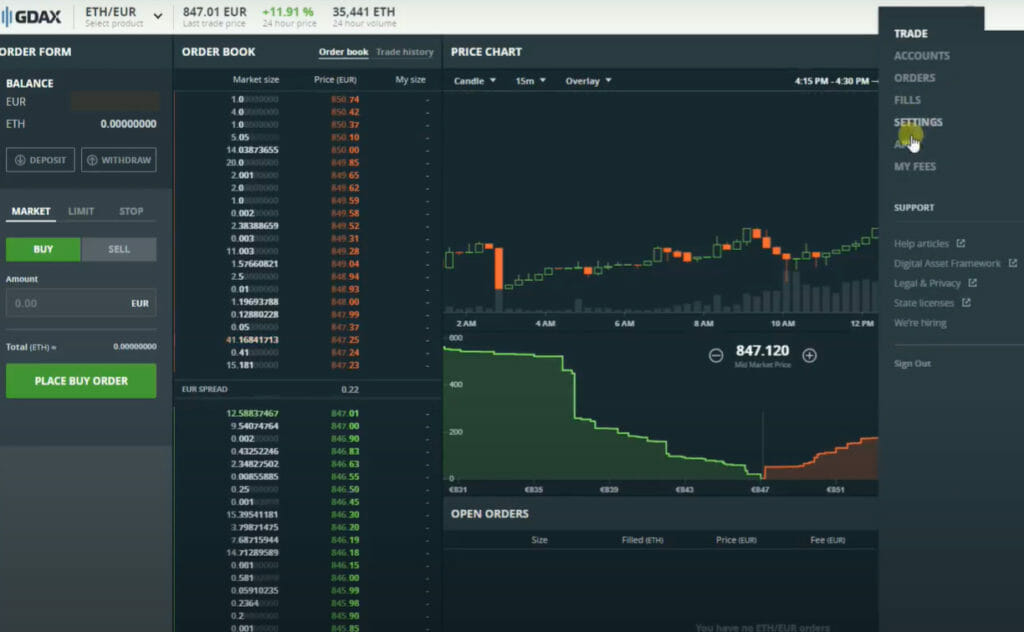
Python is the most practical language for crypto bot development. It has the strongest library ecosystem, a huge community, and the CCXT library connects you to 100+ exchanges with a single unified interface. Here’s how to set up a Python bot from scratch:
- Download and install PyCharm: A beginner-friendly IDE for Python. Includes a debugger, package manager, and all the tools you need during development. The free Community edition works fine.
- Install libraries via pip: Core packages are
ccxt(100+ exchange connectivity),pandas(data analysis),numpy(calculations), andpandas-taorta-lib(technical indicators: RSI, MACD, Bollinger Bands). Usepython-dotenvto keep API keys out of your source code. - Connect via CCXT: CCXT handles REST API authentication and order placement with a unified interface across all supported exchanges. For real-time data — live order books, live price feeds — use CCXT Pro, which adds WebSocket support. That’s critical for high-frequency and market-making strategies. Worth noting: CCXT now supports the Coincurve library, which cuts ECDSA signing time from ~45ms to under 0.05ms on exchanges like Binance and Hyperliquid.
- Build a portfolio tracker first: Before trading logic, build the data layer — a tracker that records buy/sell transactions, calculates P&L in real time, and exports to CSV. Use Pandas for data manipulation and Matplotlib for charting.
- Gather historical data: Use CCXT or exchange APIs to download OHLCV (Open, High, Low, Close, Volume) data. You need at least 6–12 months of history to validate any strategy meaningfully.
- Develop and backtest your strategy: Write your trading logic as a function that takes market data as input and outputs buy/sell signals. Run it against historical data, measure results against a simple buy-and-hold benchmark, and iterate until you have consistent results before going live.
Cryptocurrency Trading Strategies for Bots
Your strategy is the core of your bot — the rules that determine when to buy and sell. Bots can’t react to news, exchange hacks, or regulatory announcements, so every strategy needs to account for these blind spots. Here are the four most common and buildable approaches:
Trend-Following Strategy
The simplest strategy to build and the right starting point for beginners. The bot uses moving averages (EMA, SMA) or momentum indicators (RSI, MACD) to spot trend direction — go long in uptrends, short in downtrends. It won’t outperform in sideways markets, but it’s straightforward to build, test, and understand. Freqtrade ships with several pre-built trend-following strategies you can use as templates.
Arbitrage
Profits from price differences between two exchanges — buy low on one, sell high on another simultaneously. Price spreads have narrowed as markets have matured, but statistical arbitrage based on historical price relationships between correlated pairs still offers opportunities. Hummingbot was built specifically for arbitrage and market-making at scale. Requires fast execution and low fees to be profitable.
Market Making
Places limit orders on both sides of the order book (buy below market price, sell above) and captures the spread repeatedly. Works best on high-volume, liquid pairs. Can underperform during high-volatility events when the market gaps past your limit orders. Hummingbot is the leading open-source option for this strategy and is used by professional liquidity providers.
AI and Machine Learning Bots
AI-powered bots use machine learning models (LSTM networks, reinforcement learning) to find price patterns and adapt to changing market conditions — unlike rule-based bots that follow fixed logic. Freqtrade supports ML strategy optimization out of the box. OctoBot v2.x offers AI-based strategies through its cloud platform. That said, most traders who build AI bots from scratch find that simpler, well-tuned rule-based strategies outperform complex ML models in live markets — crypto is noisier than traditional asset classes. Start with trend-following; layer in ML only after you have a working baseline.
💡 Expert Tip — Build vs. Buy: For most traders, building a custom bot from scratch is overkill. The real advantage: full control over strategy logic, no subscription fees, and no platform dependency. The real cost: weeks of development time, ongoing maintenance, debugging risk (bugs in code cause real losses), and full security responsibility. If Pionex, WunderTrading, or OctoBot can run your strategy, use them. Build custom only when no existing platform serves your specific requirements.
Conclusion
Building a crypto trading bot is a genuine engineering project — not a weekend side task. It needs Python setup (PyCharm + CCXT + Pandas), exchange API integration, a tested strategy based on historical data, and rigorous backtesting before any real capital is at risk. The reward for doing it right: a fully customized system that executes your exact strategy without compromise.
But for most traders, starting with an existing platform is the faster and lower-risk path. Freqtrade and OctoBot are the best free open-source options. Pionex (built-in bots, 0.05% fee), WunderTrading (multi-exchange automation), and OctoBot Cloud give you professional-grade execution without writing a single line of code.
About the Author: The CoinCodeCap editorial team has covered crypto trading tools, bots, and automation strategies since 2018. Our guides are based on hands-on testing, verified product data, and continuous monitoring of updates across platforms. We don’t accept payment for editorial coverage.
⚡ Bottom Line — How to Make a Crypto Trading Bot
Building a crypto bot requires: Python setup (PyCharm + CCXT + Pandas), exchange API keys (Read + Trade only — never Withdraw), a tested trading strategy (trend-following for beginners), and rigorous backtesting on 6–12 months of historical data before going live. Always run paper trading for at least 30 days before deploying real capital.
For most traders, using an existing platform is the smarter move. Freqtrade and OctoBot are the best free open-source options. Pionex (free built-in bots, 0.05% fee), WunderTrading (multi-exchange automation), and OctoBot Cloud give you professional-grade execution without writing a single line of code. Build custom only when no existing platform can serve your strategy. ⚠️ Not financial advice.
Frequently Asked Questions
What programming language should I use to build a crypto trading bot?
Python is the best choice. The CCXT library connects to 100+ exchanges with a unified API, Pandas handles data analysis, and pandas-ta gives you all the technical indicators you need. The community is enormous — most crypto bot tutorials and examples online are in Python.
What are the risks of building a custom crypto trading bot?
The biggest risk is bugs in your code causing unintended trades. A logic error in your entry/exit conditions can generate losses faster than manual trading. Beyond bugs: ongoing maintenance cost, no built-in risk management (you build that yourself), and full security responsibility for your own API keys. Professional platforms have tested their code against millions of trades — a custom build starts from zero.
How long does it take to build a working crypto trading bot in Python?
A basic trend-following bot with Binance integration takes 2–4 weeks for an experienced Python developer. Backtesting, risk management, and error handling add another 2–4 weeks. A production-grade bot with monitoring, alerting, and multi-exchange support is a 3–6 month project. Factor in ongoing maintenance before committing to a custom build.
Is it better to build a crypto bot or use an existing platform?
For 90%+ of traders, using an existing platform is the right call. Freqtrade (open-source, Python-based, 25k+ GitHub stars), OctoBot (free cloud + DEX support), and Hummingbot (market-making) handle most strategies out of the box. Build custom only when your strategy has requirements — specific indicators, unique execution logic, or exchange combinations — that no existing tool supports.
What is CCXT and do I need CCXT Pro?
CCXT is a Python/JavaScript library that gives you a unified interface to 100+ crypto exchanges — it handles API authentication, order placement, and market data without exchange-specific code. CCXT Pro adds WebSocket support for real-time data feeds, which is important for high-frequency and market-making strategies. For most beginners using REST APIs and polling, standard CCXT is enough to get started.
📋 Individual Reviews: Pionex Review | WunderTrading Review | OctoBot Review
📊 Related Comparisons: Best Free Crypto Bots | 3Commas Review | Cryptohopper Review
⬆️ Full Guide: Best Crypto Trading Bots — Complete Guide