Disclosure: CoinCodeCap may earn a commission if you sign up through links on this page. Risk warning: Cold wallets are physical devices — buy only from official manufacturer sources to avoid supply-chain attacks. Lost devices without proper seed phrase backups mean permanent loss of funds. Test your recovery process with small amounts first. Never enter your seed phrase into any website, app, or “Ledger Recover” type service that asks for it. This guide covers wallet specifications and trade-offs, not investment advice.
How I Picked These Wallets: I tested or have direct experience with each cold wallet listed, verified current product status (removing discontinued Ledger Nano S original, Trezor Model One/T, Prokey, Armory desktop), checked secure element certifications (EAL5+, EAL6+, EAL7), and pulled current pricing from official sources through May 2026. The cold wallet landscape changed significantly between 2022 and 2026 — Ledger released Stax/Flex with E Ink touchscreens, Trezor replaced One/Model T with Safe 3/Safe 5 (now with Secure Element), NGRAVE Zero became the EAL7 gold standard, Tangem brought NFC card-form-factor wallets, Cypherock X1 introduced seedless distributed-key storage, and Coldcard’s Q1 added a built-in keyboard. Several 2022-era picks (Prokey, Armory, original Ledger Nano S) are dormant, discontinued, or unsuitable for new setups.
A cold wallet is a cryptocurrency wallet where the private keys are stored on a device that never connects to the internet (or only briefly via a verifiable channel). Hardware wallets are the most common cold wallet type — purpose-built physical devices the size of a USB stick, smart card, or larger device with a touchscreen. The defining property: your private key never touches an internet-connected machine. Malware on your computer or phone can’t extract the key, phishing sites can’t trick the device into signing without on-screen confirmation, and remote attackers can’t reach the key at all.
This guide covers 10 cold wallets across four tiers: mainstream multi-coin (Ledger Stax/Flex/Nano X/Nano S Plus, Trezor Safe 3/Safe 5), premium air-gapped (NGRAVE Zero, Keystone 3 Pro, ELLIPAL Titan 2.0), BTC-focused (Coldcard Mk4/Q1, BitBox02, Foundation Passport), distributed-key & specialty (Cypherock X1, Tangem, GridPlus Lattice1). For closely related guidance, see our best hardware wallets guide (which covers Bitcoin-focused recommendations in more depth), our best multisig wallets guide (multisig is the natural complement to cold storage for serious holdings), and our different types of crypto wallets pillar guide.
| Cold Wallet | Type | Price (USD) | Best For |
|---|---|---|---|
| Ledger Nano S Plus | USB hardware, 5,500+ coins | ~$79 | Beginners, best entry-level |
| Ledger Nano X | Bluetooth + USB, 5,500+ coins | ~$149 | Mobile + desktop users |
| Ledger Stax / Flex | E Ink touchscreen, premium | ~$279–$399 | Premium UX, NFTs |
| Trezor Safe 3 | USB + Secure Element (EAL6+) | ~$79 | Open-source preference |
| Trezor Safe 5 | Touchscreen + Secure Element | ~$169 | Trezor flagship |
| NGRAVE Zero | Air-gapped, EAL7 secure element | ~$398 | Maximum security |
| Coldcard Mk4 / Q1 | BTC-only, air-gapped microSD | ~$157 (Mk4) / ~$239 (Q1) | Bitcoin maximalists |
| BitBox02 | USB-C, microSD backup | ~$160 | Swiss privacy preference |
| Cypherock X1 | Seedless, distributed-key | ~$199 | No-seed-phrase preference |
| Tangem | NFC smart card (3-card set) | ~$70 (3-card) | Beginners, no seed phrase |
| 📌 Quick verdict — Ledger Nano S Plus / Trezor Safe 3 for beginners ($79), NGRAVE Zero for max security ($398), Coldcard Mk4 for Bitcoin-only, Tangem for no-seed-phrase simplicity ($70). | |||
⚠️ Discontinued or Outdated Cold Wallets — Don’t Buy These in 2026
Several cold wallets in older 2021–2023 guides are no longer recommended. If you find these in a comparison article from 2022 or earlier, the recommendations are stale:

- Ledger Nano S (original) ❌ — Discontinued June 2022. Limited firmware updates, only 3 apps installed simultaneously. Replaced by Ledger Nano S Plus (~$79) which fixed both issues.
- Trezor Model One / Trezor Model T ❌ — Replaced by Trezor Safe 3 (entry-level) and Safe 5 (flagship). The Safe series added a Secure Element chip (EAL6+) that Model One/T lacked.
- Prokey ❌ — Dormant project. Last meaningful firmware updates were years ago. The original 2022 article in this slot recommended Prokey; this is no longer a credible cold wallet option.
- Armory ❌ — Effectively dormant since 2019. Note: Armory is desktop software (not a hardware/cold wallet); older guides mislabeled it. Migrate to Sparrow + Coldcard for Bitcoin cold storage.
- SecuX wallets ⚠️ — Continue to ship but have lost relative position to NGRAVE, Keystone, and Cypherock in the premium tier. Not a strong 2026 pick.
- KeepKey ⚠️ — ShapeShift’s hardware wallet. Project has been largely dormant; firmware and integrations lag the rest of the industry. Skip.
- “Ledger Recover” service ⚠️ — Optional ID-verified seed phrase recovery service launched 2023. Many users object to the trust model. The service is opt-in only — your hardware Ledger remains a normal cold wallet if you don’t enable it. But understand the option exists before buying Ledger.
Mainstream Multi-Coin Cold Wallets
1. Ledger Nano S Plus — Best Entry-Level Cold Wallet
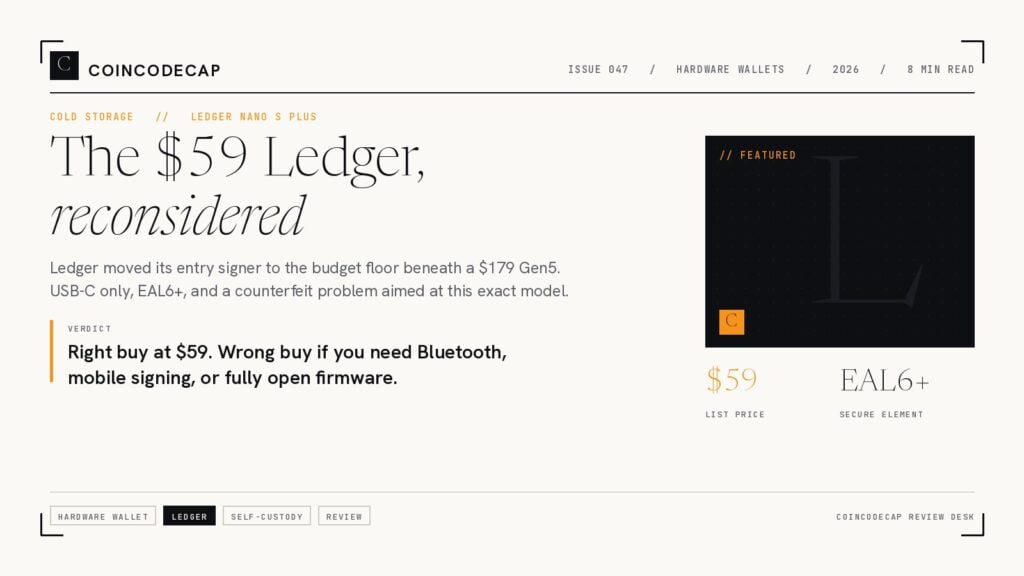
The Ledger Nano S Plus replaced the original Nano S in 2022 and remains the best entry-level cold wallet in 2026. Same USB-only form factor (no Bluetooth), upgraded internal storage that lets you install up to 100 apps at once (the original Nano S limited you to 3), and full Ledger Live software support. Supports 5,500+ cryptocurrencies and tokens — Bitcoin, Ethereum, Solana, all major L2s, and most ERC-20/SPL/etc. tokens. EAL5+ secure element. Around $79 USD from Ledger directly.
For first-time hardware wallet buyers, Nano S Plus is the standard recommendation. The trade-off vs Nano X: no Bluetooth means desktop-only use (no mobile app pairing). For anyone who only uses crypto on a computer, this isn’t a real downside; for mobile-first users, Nano X is the upgrade.
- ✅ Best entry-level cold wallet (~$79)
- ✅ EAL5+ secure element
- ✅ 5,500+ supported cryptocurrencies via Ledger Live
- ✅ Up to 100 apps installed at once
- ✅ Most-supported brand for third-party wallet integrations
- ⚠️ USB-only (no Bluetooth) — desktop-focused
- ⚠️ Closed-source firmware (secure element)
- 📌 Best for: Beginners, first-time hardware wallet buyers, desktop users
2. Ledger Nano X — Bluetooth + Mobile Pairing
The Ledger Nano X adds Bluetooth connectivity to the Nano S Plus form factor, enabling mobile pairing with the Ledger Live app on iOS and Android. Same secure element (EAL5+), same 5,500+ coin support, larger battery, and slightly more storage. Around $149 USD. The Bluetooth implementation is widely audited and considered secure — concerns from launch (2019) about Bluetooth attack surface have largely been put to rest after extensive scrutiny.
For users who want hardware wallet security with mobile convenience, Nano X is the standard option. If you only use desktop, save $70 and get Nano S Plus instead.
- ✅ Bluetooth + USB connectivity
- ✅ Pair with Ledger Live mobile app on iOS + Android
- ✅ EAL5+ secure element, 5,500+ supported cryptocurrencies
- ✅ Larger battery for mobile use
- ⚠️ More expensive than Nano S Plus ($149 vs $79)
- ⚠️ Closed-source firmware
- 📌 Best for: Mobile-first users, frequent on-the-go signing
3. Ledger Stax / Flex — Premium E Ink Touchscreen
Ledger Stax (~$399) and Flex (~$279) are Ledger’s premium-tier devices with full E Ink touchscreens, wireless Qi charging (Stax), curved edge displays, and stronger NFT viewing/management. Same security architecture as Nano X (EAL5+ secure element), same 5,500+ coin support. The pitch is premium UX rather than additional security — better screens for verifying transactions on-device, better NFT display, more polished form factor.
For most users, Nano S Plus or Nano X delivers the same security at a fraction of the price. Stax/Flex is for users who genuinely want the premium UX or hold significant NFT collections where on-device viewing matters. The price gap from Nano X ($149) to Stax ($399) is large and primarily buys aesthetics + screen size, not security improvements.
- ✅ Large E Ink touchscreen — best on-device transaction verification
- ✅ Stax: wireless Qi charging, curved edge display
- ✅ Better NFT viewing + management
- ✅ Same security as Nano X (EAL5+ secure element)
- ⚠️ Significantly more expensive than Nano X
- ⚠️ Premium UX, not extra security
- 📌 Best for: Premium UX preference, NFT collectors, frequent users
4. Trezor Safe 3 — Open-Source Entry-Level
Trezor Safe 3 replaced the legacy Trezor Model One in 2024. The defining upgrade: a Secure Element chip (EAL6+) that the Model One didn’t have. Open-source firmware (the Trezor differentiator vs Ledger’s closed-source secure element firmware). USB-C, two-button UI, supports Bitcoin + 8,000+ other coins/tokens through Trezor Suite. Around $79 USD — same price tier as Ledger Nano S Plus, with the open-source firmware advantage.
For users who specifically want fully open-source firmware in their cold wallet, Trezor Safe 3 is the right choice at the entry tier. For users who don’t care about open-source firmware specifically, Ledger Nano S Plus and Trezor Safe 3 are roughly equivalent at $79 — pick based on coin support details for your specific holdings.
- ✅ Secure Element (EAL6+) — major upgrade vs Model One
- ✅ Open-source firmware (transparency advantage vs Ledger)
- ✅ Public security audits
- ✅ Bitcoin + 8,000+ coins via Trezor Suite
- ✅ ~$79 — same price as Ledger Nano S Plus
- ⚠️ Two-button UI feels dated vs touchscreen options
- 📌 Best for: Open-source firmware preference, Trezor Suite ecosystem users
5. Trezor Safe 5 — Trezor’s Touchscreen Flagship
Trezor Safe 5 is the touchscreen flagship that replaced the Trezor Model T in 2024–2025. Same EAL6+ Secure Element + open-source firmware as Safe 3, plus a color touchscreen, vibration feedback, and improved overall UX. Around $169 USD. Trezor’s coming Safe 7 (announced/in development) is set to introduce post-quantum cryptography for firmware updates and the open-auditable TROPIC01 secure element — but Safe 5 is the current flagship to buy.
- ✅ Color touchscreen with vibration feedback
- ✅ Same EAL6+ Secure Element as Safe 3
- ✅ Open-source firmware
- ✅ Best Trezor UX in 2026
- ⚠️ More expensive than Safe 3 ($169 vs $79)
- 📌 Best for: Trezor users who want touchscreen + open-source firmware
Premium Air-Gapped Cold Wallets
“Air-gapped” cold wallets take cold storage one step further — the device never connects to a computer via USB, Bluetooth, WiFi, or any wireless protocol. Transactions are passed in/out via QR codes or microSD cards. Even more secure than USB-connected hardware wallets that briefly handshake with a host computer.
6. NGRAVE Zero — EAL7 Maximum Security
NGRAVE Zero is the highest-security consumer cold wallet on the market in 2026, with the only EAL7-certified secure element in any production cryptocurrency wallet (most premium options are EAL5+ or EAL6+; EAL7 is the highest Common Criteria evaluation level achievable). Fully air-gapped via QR codes — no USB, no Bluetooth, no wireless of any kind. 4-inch touchscreen, biometric fingerprint sensor, supports Bitcoin, Ethereum, and a wide range of other major chains via the NGRAVE LIQUID companion mobile app. Around $398 USD. Made in Belgium.
For users with significant holdings ($100K+) where the security premium is rounding error, NGRAVE Zero is the standard maximum-security choice. The trade-off vs Ledger/Trezor: more expensive, slower UX (every transaction requires QR scan back-and-forth), and a less mature ecosystem of integrations (third-party wallet support is narrower than Ledger).
- ✅ EAL7 secure element — highest in any production crypto wallet
- ✅ Fully air-gapped via QR codes — no USB, no Bluetooth, no wireless
- ✅ 4-inch touchscreen with biometric fingerprint sensor
- ✅ Supports BTC, ETH, and major chains via LIQUID app
- ✅ Made in Belgium
- ⚠️ Expensive (~$398)
- ⚠️ Slower UX than USB-connected wallets
- ⚠️ Narrower third-party integration ecosystem than Ledger
- 📌 Best for: Maximum security, large holdings, security professionals
7. ELLIPAL Titan 2.0 — QR-Code Air-Gapped Multi-Coin
ELLIPAL Titan 2.0 is the more affordable air-gapped option at around $169 USD. Same fundamental approach as NGRAVE — fully air-gapped via QR codes only, no USB or wireless of any kind, large color touchscreen — at less than half the price. Supports Bitcoin, Ethereum, BNB, all major EVM chains, plus Solana, Cosmos, Polkadot, and others. Tamper-proof anti-disassembly mechanism (the device self-destructs if the case is forced open). Made in China by ELLIPAL Limited (Hong Kong).
For users who want air-gapped security at a more affordable price than NGRAVE, ELLIPAL Titan 2.0 is the practical choice. The trade-off: lower secure element rating than NGRAVE, and the brand has less institutional credibility than Ledger or Trezor (though product reliability is solid).
- ✅ Fully air-gapped via QR codes — no USB, no wireless
- ✅ Large color touchscreen
- ✅ Tamper-proof anti-disassembly
- ✅ Supports BTC, ETH, BNB, SOL, and most major chains
- ✅ More affordable than NGRAVE (~$169 vs ~$398)
- ⚠️ Less institutional brand credibility than Ledger/Trezor
- ⚠️ Lower secure element rating than NGRAVE
- 📌 Best for: Affordable air-gapped multi-coin storage
Bitcoin-Focused Cold Wallets
8. Coldcard Mk4 / Q1 — Bitcoin-Only Power User
Coldcard is the standard Bitcoin-only cold wallet for power users. Air-gapped via microSD card (transactions transferred as PSBT files, never USB-connected during signing). Coldcard Mk4 (~$157) is the standard option; Coldcard Q1 (~$239) adds a built-in physical keyboard and larger screen for power-user workflows. Supports Bitcoin only — no Ethereum, no altcoins. Open-source hardware design and firmware. Notable security features: brick PIN (auto-bricks the device after 13 failed PIN attempts), duress PIN (a fake PIN that opens a decoy wallet), encrypted backups to microSD, multi-signature support.
The classic combo for serious Bitcoin self-custody: Coldcard Mk4 + Sparrow Wallet on desktop = the best practical air-gapped Bitcoin signing setup most users can run at home. For multisig (2-of-3 or 3-of-5), pair multiple Coldcards with Sparrow as the coordinator. See our best multisig wallets guide for the full multisig workflow.
- ✅ Bitcoin-only — focused, mature, well-audited
- ✅ Air-gapped via microSD (PSBT workflow)
- ✅ Brick PIN, duress PIN, encrypted backups
- ✅ Open-source hardware + firmware
- ✅ Strong multisig support — pairs with Sparrow Wallet
- ⚠️ Bitcoin-only — no altcoin support
- ⚠️ Power-user UX (microSD workflow takes adjustment)
- 📌 Best for: Bitcoin maximalists, multisig signers, technical users
9. BitBox02 — Swiss-Made USB-C Multi-Edition
BitBox02 is the Swiss-made hardware wallet from Shift Crypto. Two editions: BitBox02 Bitcoin-only (~$160) and BitBox02 Multi-edition (~$160) supporting Bitcoin, Ethereum, Litecoin, and major ERC-20 tokens. USB-C connectivity, microSD backup card slot, OLED display with infrared touch sensors, open-source firmware. Made in Switzerland — relevant for users who specifically want a non-Chinese, non-French, non-American manufacturing origin. SegWit Bech32 native for lower BTC transaction fees.
- ✅ Made in Switzerland — alternative to Ledger (France) and Trezor (Czechia)
- ✅ Two editions: Bitcoin-only or Multi (BTC + ETH + LTC + ERC-20)
- ✅ USB-C, microSD backup, OLED display
- ✅ Open-source firmware
- ✅ Native SegWit Bech32 for lower BTC fees
- ⚠️ Multi-edition supports fewer chains than Ledger/Trezor
- 📌 Best for: Swiss manufacturing preference, BitBox app ecosystem users
Distributed-Key & Specialty Cold Wallets
10. Cypherock X1 — Seedless Distributed-Key Storage
Cypherock X1 takes a fundamentally different approach: no seed phrase. Instead of writing down 12 or 24 words, your private key is split across 5 hardware components using Shamir’s Secret Sharing — 1 main signing device + 4 NFC-enabled “X1 Cards” (similar to Tangem cards). Recovery requires any 2-of-5 components. Lose any combination of up to 3 components and you can still recover; an attacker would need to physically obtain at least 2 of 5 distinct devices stored in different locations. Around $199 USD.
For users who specifically want to eliminate the seed phrase failure mode (lost paper, photographed words, written down in cloud notes), Cypherock X1 is the most distinctive option. The trade-off: 5 hardware components to manage instead of 1 device + 24 words on steel.
- ✅ No seed phrase — Shamir’s Secret Sharing across 5 components
- ✅ Recover with any 2-of-5; lose up to 3, still recover
- ✅ Strong protection against single-point-of-failure backups
- ✅ Open-source and audited
- ⚠️ 5 components to manage in 5 separate locations
- ⚠️ Newer brand than Ledger/Trezor
- 📌 Best for: Users who want zero-seed-phrase + distributed backup
Tangem — NFC Smart Card Cold Wallet
Tangem reimagines the cold wallet as NFC smart cards — credit-card-sized, no battery, no display. A 3-card set (around $70 total) uses one card as your primary wallet plus two as backups. To sign transactions, tap the card to your phone (NFC). Truly air-gapped — no USB, no Bluetooth, no WiFi, no battery to drain. EAL6+ certified secure element. Supports 16,000+ cryptocurrencies via the Tangem app. The 2-card or 3-card set lets you store backup cards in physically separate locations.
Tangem’s distinctive proposition: no seed phrase required. Your private keys are generated on-card and never leave the card. Recovery is via the backup cards (you tap one of the backups to your phone to restore access). For users who would otherwise never set up a hardware wallet (the seed-phrase-and-words-in-a-vault model is intimidating), Tangem is the most accessible option. The trade-off: firmware is closed-source (independently verified, but not open), backup is one-time only (you can’t add additional backups later), and no display means you can’t visually verify transactions on the device itself (verify on your phone before tapping).
- ✅ NFC card form factor — credit-card sized
- ✅ No seed phrase, no battery, no display, no USB
- ✅ Truly air-gapped — only NFC pairing with phone
- ✅ EAL6+ certified secure element
- ✅ 16,000+ supported cryptocurrencies
- ✅ Affordable: 3-card set ~$70
- ⚠️ Closed-source firmware (independently verified, but not open)
- ⚠️ Backup is one-time only
- ⚠️ Requires phone with NFC — no desktop-only option
- 📌 Best for: Beginners, no-seed-phrase preference, mobile-first users
Side-by-Side Comparison
| Cold Wallet | Type | Secure Element | Coins | Air-Gapped | Price | Best For |
|---|---|---|---|---|---|---|
| Ledger Nano S Plus | USB | EAL5+ | 5,500+ | No (USB) | ~$79 | Beginner mainstream |
| Ledger Nano X | USB + Bluetooth | EAL5+ | 5,500+ | No | ~$149 | Mobile pairing |
| Ledger Stax / Flex | E Ink touchscreen | EAL5+ | 5,500+ | No | ~$279–$399 | Premium UX, NFTs |
| Trezor Safe 3 | USB-C, two-button | EAL6+ | 8,000+ | No (USB) | ~$79 | Open-source entry |
| Trezor Safe 5 | USB-C, color touchscreen | EAL6+ | 8,000+ | No | ~$169 | Open-source flagship |
| NGRAVE Zero | QR-only air-gapped | EAL7 | BTC + ETH + others | ✅ Yes | ~$398 | Maximum security |
| ELLIPAL Titan 2.0 | QR-only air-gapped | — | BTC + ETH + 40+ | ✅ Yes | ~$169 | Affordable air-gapped |
| Coldcard Mk4 / Q1 | microSD air-gapped | — | Bitcoin only | ✅ Yes | ~$157 / ~$239 | BTC power users |
| BitBox02 | USB-C | — | BTC-only or Multi | No (USB) | ~$160 | Swiss made |
| Cypherock X1 | Seedless distributed | — | BTC + ETH + others | — | ~$199 | No-seed-phrase |
| Tangem (3-card set) | NFC card | EAL6+ | 16,000+ | ✅ Yes (NFC only) | ~$70 | Beginners, no-seed |
How to Choose: Decision Framework
By Holding Size
- Under $5,000 — entry tier. Ledger Nano S Plus or Trezor Safe 3 (~$79). Both are mature, well-supported, and overkill for small holdings. Get the one whose ecosystem (Ledger Live vs Trezor Suite) you prefer.
- $5,000–$50,000 — mid-tier. Same entry options work, but consider upgrading to Ledger Nano X (~$149, mobile pairing), Trezor Safe 5 (~$169, touchscreen), or Tangem (~$70, no-seed-phrase) based on UX preference.
- $50,000–$500,000 — serious. Premium air-gapped: NGRAVE Zero ($398, EAL7), ELLIPAL Titan 2.0 ($169, air-gapped multi-coin), Coldcard Mk4 ($157, BTC). Consider multisig with multiple devices.
- $500,000+ — multisig territory. 2-of-3 multisig with diverse hardware (Coldcard + Trezor Safe 5 + BitBox02), distributed across separate locations. The cold wallet is one component of a larger setup. See our best multisig wallets guide.
By Use Case
- Multi-coin (BTC + ETH + L2s + Solana + altcoins) → Ledger Nano S Plus / Nano X / Stax for the broadest coin support, or Tangem for no-seed-phrase multi-coin.
- Bitcoin-only purist → Coldcard Mk4 + Sparrow Wallet for serious BTC self-custody, or Foundation Passport, or BitBox02 Bitcoin-only edition.
- Maximum security → NGRAVE Zero (EAL7) for highest-rated secure element + air-gapped operation.
- Open-source firmware → Trezor Safe 3 / Safe 5, Coldcard Mk4 / Q1, BitBox02, Cypherock X1.
- No seed phrase preference → Tangem (NFC cards) or Cypherock X1 (distributed key shards). Both eliminate the seed-phrase failure mode.
- Mobile-first → Ledger Nano X (Bluetooth + Ledger Live mobile), Tangem (NFC only).
- NFT collector → Ledger Stax / Flex for on-device NFT viewing.
Cold Wallet Best Practices
- Buy only from official manufacturer sources. Supply-chain attacks on hardware wallets (compromised devices in tampered packaging) are a real risk. Buy directly from ledger.com, trezor.io, ngrave.io, etc. — never from Amazon resellers, eBay, AliExpress, or unfamiliar retailers.
- Use steel seed phrase backups, not paper. Paper degrades, burns, and can be water-damaged. A SeedPlate, Cryptosteel, or Cryptotag steel backup ($30–$100) is essentially indestructible. Stamp the words on steel; store in a fireproof safe or safe deposit box.
- Test recovery with small amounts first. Before transferring meaningful holdings, do a full recovery test: wipe the device, restore from seed, send and receive a small test transaction. Verify the recovered wallet has the same addresses as the original. If recovery doesn’t work, your backup is wrong — find out now, not when you actually need it.
- Never enter your seed phrase into any website, app, or “support” tool. No legitimate wallet needs your seed phrase to “recover” or “validate” or “migrate.” Anyone asking is an attacker.
- Use a passphrase (“25th word”) for plausible deniability. Most hardware wallets support an optional passphrase that creates a hidden wallet on top of your seed phrase. Useful if you’re concerned about $5-wrench-attack scenarios (someone forces you to “unlock” your wallet — you unlock the decoy).
- Distribute backups across separate locations. Steel seed in your home safe + steel seed in a safe deposit box at a different bank + steel seed at a trusted family member’s home (in a sealed envelope). Single-location backups defeat the recovery purpose.
- Update firmware promptly. Hardware wallet firmware updates fix vulnerabilities. Update through official channels (Ledger Live, Trezor Suite, etc.).
- For meaningful holdings, use multisig. A single cold wallet is great for $5K–$50K. For $50K+, a 2-of-3 multisig with diverse hardware (Coldcard + Trezor + BitBox02) eliminates the single-point-of-failure that destroys most self-custody users.
Frequently Asked Questions
What’s the best cold wallet in 2026?
For most users, Ledger Nano S Plus or Trezor Safe 3 at ~$79 USD. Both are mature, well-supported, and cover virtually all coins most users hold. For maximum security, NGRAVE Zero ($398) with its EAL7 secure element and air-gapped QR-only design. For Bitcoin-only power users, Coldcard Mk4 ($157) paired with Sparrow Wallet. For users who want to skip the seed phrase entirely, Tangem (3-card set ~$70) or Cypherock X1 ($199) eliminate that failure mode.
Are cold wallets worth it?
For meaningful holdings (typically $1,000+), yes. The cost ($79–$398) is rounding error against the value of the funds you’re protecting. The most common attack vector — malware extracting private keys from a software wallet — is fundamentally impossible with a hardware wallet because the key never touches your computer. For amounts you can afford to lose to a software-wallet compromise, you don’t strictly need cold storage; for amounts you can’t, you do.
What’s the difference between a hardware wallet and a cold wallet?
Most hardware wallets are cold wallets — the terms are often used interchangeably. Strictly, a cold wallet is any storage method where private keys are kept offline. Hardware wallets are the most common cold wallet type (purpose-built devices). Other cold wallet forms include paper wallets (legacy, generally not recommended for new setups) and air-gapped computers running offline wallet software. In 2026, “cold wallet” effectively means “hardware wallet” for most consumers. See our different types of crypto wallets guide for the full taxonomy.
Ledger vs Trezor — which is better?
Both are mature, audited, and used by millions. Ledger wins for: broader coin support (5,500+ vs Trezor’s 8,000+ but with stronger BTC/ETH ecosystem), more polished mobile app pairing (Bluetooth on Nano X), wider third-party wallet integration. Trezor wins for: open-source firmware (Ledger’s secure element firmware is closed), public security audits, and avoiding the “Ledger Recover” service controversy. Both are equivalent for most users at $79 — pick based on which ecosystem (Ledger Live vs Trezor Suite) you prefer the UX of.
What is “air-gapped” and why does it matter?
An air-gapped wallet has no electronic connection to a networked device — no USB, no Bluetooth, no WiFi, no NFC during signing operations (except Tangem’s NFC-only model which is its own category). Transactions are passed in/out via QR codes, microSD cards, or physical mediums. Even more secure than USB-connected hardware wallets — eliminates the small attack surface that exists when a hardware wallet briefly handshakes with a host computer over USB. For maximum security, NGRAVE Zero, Coldcard, ELLIPAL Titan 2.0, and Keystone are air-gapped options.
Should I worry about “Ledger Recover”?
Ledger Recover is an opt-in subscription service that lets you back up your seed phrase via three encrypted shards held by Ledger, Coincover, and an independent backup provider. It launched in 2023 and generated significant community concern — some users felt the service compromises hardware wallet principles by introducing a key-recovery path that requires identity verification and trusts third parties with shards of your encrypted seed. The service is opt-in only. Your Ledger device functions as a normal hardware wallet if you don’t enable Recover. If the controversy bothers you, choose Trezor or another vendor. If you don’t enable the service, the Ledger hardware wallet remains as secure as it always was.
What’s a “seedless” wallet like Cypherock or Tangem?
Traditional hardware wallets generate a 12 or 24-word seed phrase that’s the master backup. Lose the seed, lose the funds — even if the hardware device is fine. “Seedless” wallets eliminate this single point of failure. Tangem uses NFC cards where the private key is generated on-card and never extracted; recovery is via backup cards. Cypherock X1 uses Shamir’s Secret Sharing to split the key across 5 hardware components; recovery requires any 2-of-5. Trade-off: more hardware to manage instead of one device + words on paper. For users who specifically worry about seed phrase loss, these are strong options.
Can I lose my crypto if I lose my hardware wallet?
Only if you’ve also lost your seed phrase backup. The hardware wallet is the access device; the seed phrase is the master backup that can recreate the wallet on any compatible device. Lose the wallet but have the seed: buy a new hardware wallet, restore from seed, recover access. Lose both wallet AND seed: funds are permanently inaccessible. This is why steel seed phrase backups in geographically distributed locations are non-negotiable for serious self-custody.
The 2026 cold wallet landscape is mature and well-differentiated. The 2022-era playbook (Ledger Nano S, Trezor One, BitBox, Prokey, Armory) no longer applies — three of those five are discontinued or dormant, and the modern lineup is significantly stronger. The current options span four tiers: mainstream multi-coin (Ledger Nano S Plus / Nano X / Stax / Flex, Trezor Safe 3 / Safe 5), premium air-gapped (NGRAVE Zero EAL7, ELLIPAL Titan 2.0), BTC-focused (Coldcard Mk4 / Q1, BitBox02), and distributed-key & specialty (Cypherock X1 seedless, Tangem NFC cards).
For most users: Ledger Nano S Plus or Trezor Safe 3 at $79. For maximum security: NGRAVE Zero at $398. For Bitcoin-only purists: Coldcard Mk4 + Sparrow Wallet. For no-seed-phrase preference: Tangem 3-card set at $70 or Cypherock X1 at $199. Pair any of these with steel seed phrase backups in distributed locations, and consider multisig once your holdings cross $50K. The cold wallet is the foundation of self-custody — pick a mature, well-audited option from a reputable vendor and you’ve solved 90% of the security problem.
Reviewed by Gaurav Agarwal, founder of CoinCodeCap. Gaurav has covered hardware wallets, cold storage, multisig, and self-custody best practices since 2018, with hands-on testing of every wallet in this guide. Wallet status (Ledger Nano S original discontinuation, Trezor Safe 3/5 lineup, Prokey/Armory deprecation, NGRAVE Zero EAL7, Coldcard Q1 launch) reflects direct research and verification through May 2026.
⚡ Bottom Line: 2026 best cold wallets across 4 tiers: Mainstream — Ledger Nano S Plus ($79), Nano X ($149), Stax/Flex ($279–$399), Trezor Safe 3 ($79), Safe 5 ($169). Premium air-gapped — NGRAVE Zero ($398, EAL7), ELLIPAL Titan 2.0 ($169). BTC-focused — Coldcard Mk4/Q1 ($157/$239), BitBox02 ($160). Distributed/specialty — Cypherock X1 ($199, seedless), Tangem (~$70, NFC cards). AVOID: Ledger Nano S original (discontinued June 2022), Trezor Model One/T (replaced by Safe 3/5), Prokey (dormant), Armory (desktop software, dormant since 2019), KeepKey (largely dormant). Always buy from official manufacturer sources, use steel seed backups (not paper), test recovery before depositing meaningful amounts, and consider multisig for holdings $50K+.
Related Reading
📋 Wallet Roundups by Type: Best Hardware Wallets | Best Multisig Wallets | Best Smart Contract Wallets | Best Anonymous Bitcoin Wallets
🔧 Wallet Roundups by Chain: Best Ethereum Wallets | Best Monero Wallets | Best BTC Wallets for Android | Best Solana Wallets
📘 Wallet Education: Different Types of Crypto Wallets | How to Secure Your Crypto Wallet | Braavos Wallet Review